Before i went on my sunny holiday to Turkey (b-e-a-u-tiful country for anyone who hasn’t been; amazing for kids!) I wrote a blog called The Dashboard Dilemma: Just Because You Can Report On It, Doesn't Mean You Should.
The response was interesting with most people recognised the problem immediately; the report nobody uses, the dashboard somebody requested three years ago and the KPI everybody measures but nobody acts upon.
The challenge isn't getting access to data anymore it is knowing which data matters.
So for this blog, I decided to call in reinforcements.
Joining me in this weeks Q&A is someone who spends far more time thinking about reporting, analytics, AI and customer insight than I do:
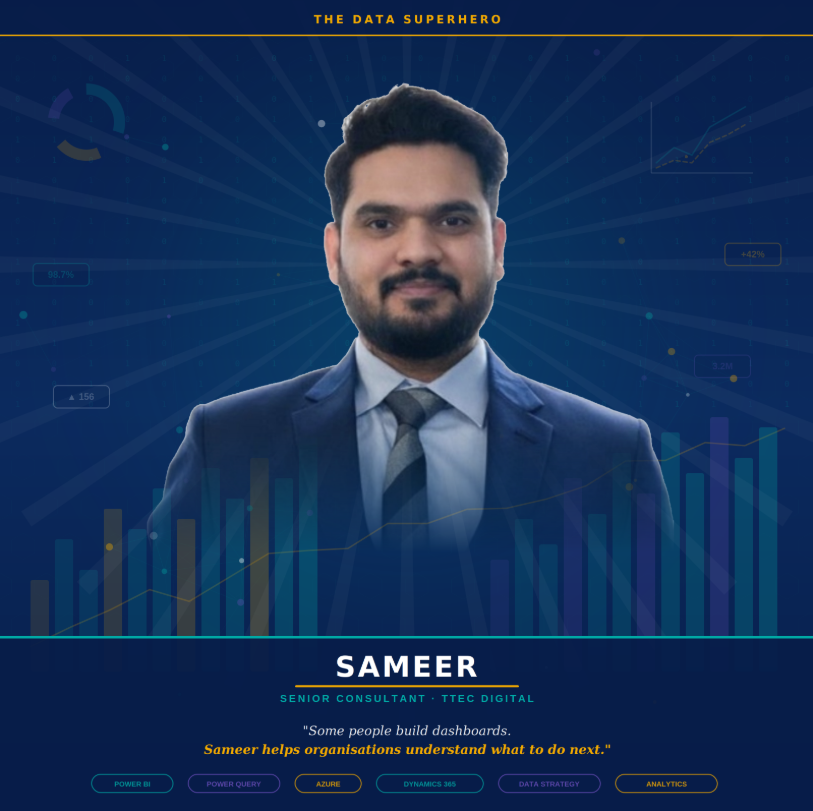
Sameer Sharma
As a Senior Consultant at TTEC Digital, Sameer specialises in Business Intelligence, analytics and helping organisations transform complex data into meaningful business insight. Armed with expertise across Power BI, Power Query, Azure and Dynamics 365, he's spent his career helping organisations move beyond simply collecting data and towards making better decisions with it.
Whether it's designing sophisticated data warehouses, building advanced analytics solutions or helping stakeholders understand what the numbers are actually telling them, Sameer has a knack for turning overwhelming volumes of information into something genuinely useful.
In the superhero universe of data and analytics, some people build dashboards.
Sameer helps organisations understand what to do next. 🦸♂️📊
And in a world where everyone's talking about AI, automation and insight, that's a superpower that's becoming more valuable every day.
So, in good old fashion style Q&A, together we're exploring a simple question: How can organisations move from collecting data to making better decisions?.
Where do organisations typically get reporting wrong?
Kelly: Let's start with the obvious one, most organisations don't struggle to get data, They struggle to turn it into something useful. What are the common mistakes you see?
Sameer:
“The biggest challenge I see isn't usually technology. It's breaking up with old reports.
Many organisations move to a modern contact centre platform but still approach reporting from the perspective of their previous system. They've spent years looking at the same reports, the same metrics and the same dashboards, so the first request is often, "How do we recreate exactly what we had before?"
That's understandable, but it can mean they miss the opportunity to take advantage of new capabilities and insights available in a modern platform. Sometimes they ask "Where's the report for that?" only for us to discover that the underlying process worked very differently in the previous platform. If the capability itself has changed, it's often a good opportunity to reassess whether the old metric is still the right measure of success, rather than trying to recreate it for the sake of familiarity.
I often encourage organisations to treat a new contact centre as a chance to rethink reporting, not just rebuild it. Instead of asking, "How do we reproduce our old reports?" the better question is, "What decisions are we trying to make, and what information do we actually need to support them?"
Another common trap is creating slightly different versions of the same report for every supervisor, manager and stakeholder. Before long, you've got ten reports all telling a very similar story, just with different filters and colours. It becomes difficult to maintain, difficult to govern, and everyone starts debating which version is correct.
The opposite end of the line is creating a single dashboard that tries to satisfy everyone. We've all seen those dashboards packed with dozens of KPIs, charts and scorecards where nobody quite knows where to look first. If everything is important, nothing is important.
Here at TTEC Digital we have developed a role-based, layered approach which has helped organisations establish a core set of trusted metrics and then present them as per the decisions each audience needs to make, whether that's an operational supervisor, contact centre manager or executive stakeholder. Good reporting should create clarity, not confusion. The aim isn't to provide every metric available. The aim is to provide the information people need to take action and make better decisions”
Where should organisations start?
Kelly: Imagine somebody has just implemented Dynamics 365 Contact Center. They're staring at hundreds of possible metrics. Where should they begin?
Sameer:
Far too often, organisations start with a list of reports they want rather than understanding the business decisions those reports are supposed to support. I like to joke that the easiest part of reporting is building the dashboard. The hard part is agreeing what it's supposed to tell you
Before discussing charts, themes, KPIs or Power BI, I'd ask three simple questions:
What decision are we trying to make?
Who needs that information to make the decision?
What action will they take if the metric changes?
Once you answer those questions, the reporting requirements become much clearer.
One approach that has really resonated with clients came from a conversation with one of our Solution Architects, Sreekanth Muralidharan (Sree), while we were defining reporting strategies for CCaaS programmes at TTEC Digital. Rather than treating reporting as a single solution, we started looking at it as three distinct layers. At TTEC Digital, through working with clients and collaborating with our solution architects, reporting specialists and customer experience experts, we've developed a layered approach to reporting that helps organisations focus on value while reducing complexity and risk. Rather than treating reporting as one giant all-or-nothing solution, we think about it in three layers.
Layer 1: Operational Reporting
These are the out-of-the-box real-time and historical reports provided by Microsoft, sometimes with light customisation option. They use Microsoft's supported data model and are designed to support day-to-day operational management, from monitoring what's happening right now to understanding performance trends over time.
Layer 2: Business Reporting
This is where organisations that already use Dynamics 365 Customer Service, Case Management or CRM reporting and want to bring the already existing CE reports to unified copilot workspace with contact center. The goal is a unified operational and customer view across the wider business.
Layer 3: Strategic Analytics
This is the truly bespoke space. Here you're combining contact center data with external systems such as finance platforms, case management, customer surveys or workforce management platforms to answer unique business questions that are specific to your organisation.
What I like about this approach is that it removes a lot of the perceived risk from reporting programmes. Quite often, organisations evaluate reporting as though it were a single product. If one requirement cannot be delivered immediately, there's a tendency to assume the entire reporting solution falls short. In reality, that's rarely the case.
With a layered approach, organisations quickly recognise that a significant proportion of reporting requirements are already covered by Layers 1 and 2. They can start generating value almost immediately, while only a relatively small number of truly unique requirements need to progress into Layer 3. It also helps challenge a common assumption that every requirement automatically needs a custom Power BI solution. In many cases, the answer already exists within standard operational reporting or within existing business reporting investments. The result is faster delivery, lower cost, stronger governance and a reporting strategy that is much easier to maintain over time.
And perhaps most importantly, it keeps the conversation focused on business outcomes rather than building reports for the sake of building reports.
When is native Dynamics 365 Contact Center reporting enough?
Kelly : I think one of the biggest misconceptions I've seen is the assumption that Power BI is always required. What's your view?
Sameer:
This is a really good observation, Kelly, I also think that Power BI sometimes gets invited to the party far too early.
Microsoft Contact Center provides a significant amount of reporting capability out of the box, including both real-time and historical reporting. For many organisations, these reports are more than sufficient to support day-to-day operational management, team performance monitoring and service oversight. One of the biggest misconceptions I encounter is the assumption that every reporting requirement automatically needs a Power BI dashboard. In reality, many requirements can be addressed through Microsoft's standard reporting capabilities or by extending existing Dynamics 365 reporting investments.
This is where the layered reporting approach that we discussed previously becomes particularly useful. By first assessing whether a requirement can be met through Layer 1 operational reporting or Layer 2 business reporting, organisations gain a clearer understanding of which requirements genuinely require a bespoke analytics solution. Power BI typically adds the most value when organisations need to go beyond Microsoft's standard semantic model, combine Contact Center data with external systems, or create metrics and insights that aren't available through the standard reporting capabilities.
Examples might include combining Contact Center data with external systems, financial data, workforce management platforms, customer surveys or other line-of-business applications to create a broader business view.
A simple way to look at it is: Real-time reports help you run today's operation. Historical reporting helps you understand what happened. Power BI helps you answer questions that span multiple systems and multiple business processes.
The important thing is understanding which tool is solving which problem.
What role does AI play in modern reporting?
Kelly: No blog in 2026 would be complete without mentioning AI, so let's address it. Where do you see AI helping organisations most?
Sameer:
I couldn’t agree more, Kelly. No conversation about technology seems complete these days without mentioning AI, but for me the real value isn't AI itself, it's what it enables organisations to do faster and better.
At TTEC Digital, we've embedded AI across much of our delivery lifecycle, from interactive requirements capture and reporting prototypes to solution playbacks that help stakeholders visualise the end result much earlier in the process.
From a reporting perspective, AI helps organisations move beyond simply collecting data and towards understanding it.
Historically, reporting has been very good at answering "What happened?" AI is increasingly helping organisations understand "Why did it happen?"
A dashboard might tell you that customer satisfaction fell, call volumes increased or service levels dropped. AI can analyse the conversations behind those metrics to identify recurring themes, sentiment trends and potential causes.
That's where organisations start moving from reporting what happened to understanding why it happened.
In Dynamics 365 Contact Center, capabilities such as conversation and quality analytics can help organisations review large volumes of interactions more efficiently, highlighting trends and coaching opportunities that would otherwise require significant manual effort.
Ultimately, I don't think AI replaces reporting. It makes reporting more accessible, more proactive and, hopefully, a lot more useful. The goal isn't more dashboards. It's better decisions.
One piece of advice you wish every organisation followed?
Kelly: Final question. What is the one thing you'd like every organisation to remember before requesting another report?
Sameer:
If there's one thing I'd encourage organisations to remember, it's this:
If you're investing in a new contact centre platform, make sure you're also investing in a new way of thinking about reporting.
Too often, organisations spend months modernising their technology but continue measuring success in exactly the same way they did on their previous platform. Rebuilding old dashboards is easy. Re-evaluating what actually matters is where the real value lies.
A platform migration shouldn't be treated as a reporting migration exercise. It should be an opportunity to rethink what decisions need to be made, what insights are available today that weren't available before, and which metrics genuinely drive action. So before asking "What reports do we need to rebuild?", I'd encourage organisations to ask:
"What decisions are we trying to make, and what information do we need to make them?"
In my experience, once you answer that question, the right reports usually follow. And sometimes you discover that the most valuable report is one you never needed to build in the first place.
Thank you, Kelly, for this opportunity to contribute. I've genuinely enjoyed this discussion. I've been following your blogs for some time and always appreciate how you challenge conventional thinking with practical, real-world perspectives.
Closing Thoughts
One thing really stood out to me during this conversation with Sameer Sharma.
The organisations getting the most value from reporting aren't necessarily the ones with the most reports. They're the ones asking better questions.
Throughout our discussion, Sameer repeatedly challenged the idea that a contact centre migration should automatically become a reporting migration exercise. Just because you've moved to a modern platform doesn't mean every historical report needs to come with you. In fact, it might be the perfect opportunity to leave some of them behind.
That got me thinking.
How many reports exist today simply because they always have?
How many KPIs are still being measured because somebody asked for them years ago?
How many dashboards survive based on familiarity rather than value?
And perhaps the uncomfortable question...
How many reports would anybody actually miss if they disappeared tomorrow?
I loved Sameer's layered reporting approach because it reframes the conversation entirely. Rather than starting with Power BI, dashboards and visualisations, it starts with business outcomes.
Do I need operational insight to run today's contact centre?
Do I need business reporting to understand customer service across my wider organisation?
Or am I genuinely trying to answer strategic questions that require data from multiple systems?
They're very different problems. Yet organisations often try to solve them with the same dashboard.
The AI discussion was equally interesting. For years we've used reporting to understand what happened, but AI is helping us move beyond that.
Now we're starting to ask:
Why did customer satisfaction fall?
What themes are driving complaints?
Which conversations are creating repeat contacts?
What should we do next?
That feels like a significant shift.
Because the future probably isn't more dashboards, It's fewer dashboards and better insights.
After speaking with Sameer, I'm more convinced than ever that reporting was never really about dashboards.
It's about decisions. The dashboard is simply the delivery mechanism.
The real value comes from helping somebody take action.
So before requesting the next report, building the next dashboard, or commissioning the next Power BI project, perhaps the question isn't:
"What data do we have?" or "What can we report on?"
Perhaps the question should be:
"What decision are we trying to make?"
Because once you have the answer to that, the right reporting strategy usually reveals itself.
And occasionally...
You discover the most valuable dashboard is the one you never needed to build in the first place.